

On your Linux PC
Linux game streamingthat answers to you.
Stream games from your Linux PC or Steam Deck to Nova, Moonlight and compatible clients. Give each game its own session and follow every stream in Mission Control.
- Linux host
- Free and open source
- No cloud account
Stable 1.4.13 · 1.5.0-beta.2 available
Why Polaris
A host that gives the game its own room.
Most streaming hosts borrow your desktop. Polaris gives each game a place of its own and tells you plainly how the stream is going.
Your desktop stays yours.
Private Stream runs each game in its own compositor on your PC, so your monitors, windows and layout stay where you left them. When you do want the real desktop, each other mode says up front what it will change.
- Private Stream: a session of its own, your screens untouched
- Host Virtual Display: a separate display, where your desktop can make one
- Mirror Desktop: the desktop you see, when that is the point
See what's really happening.
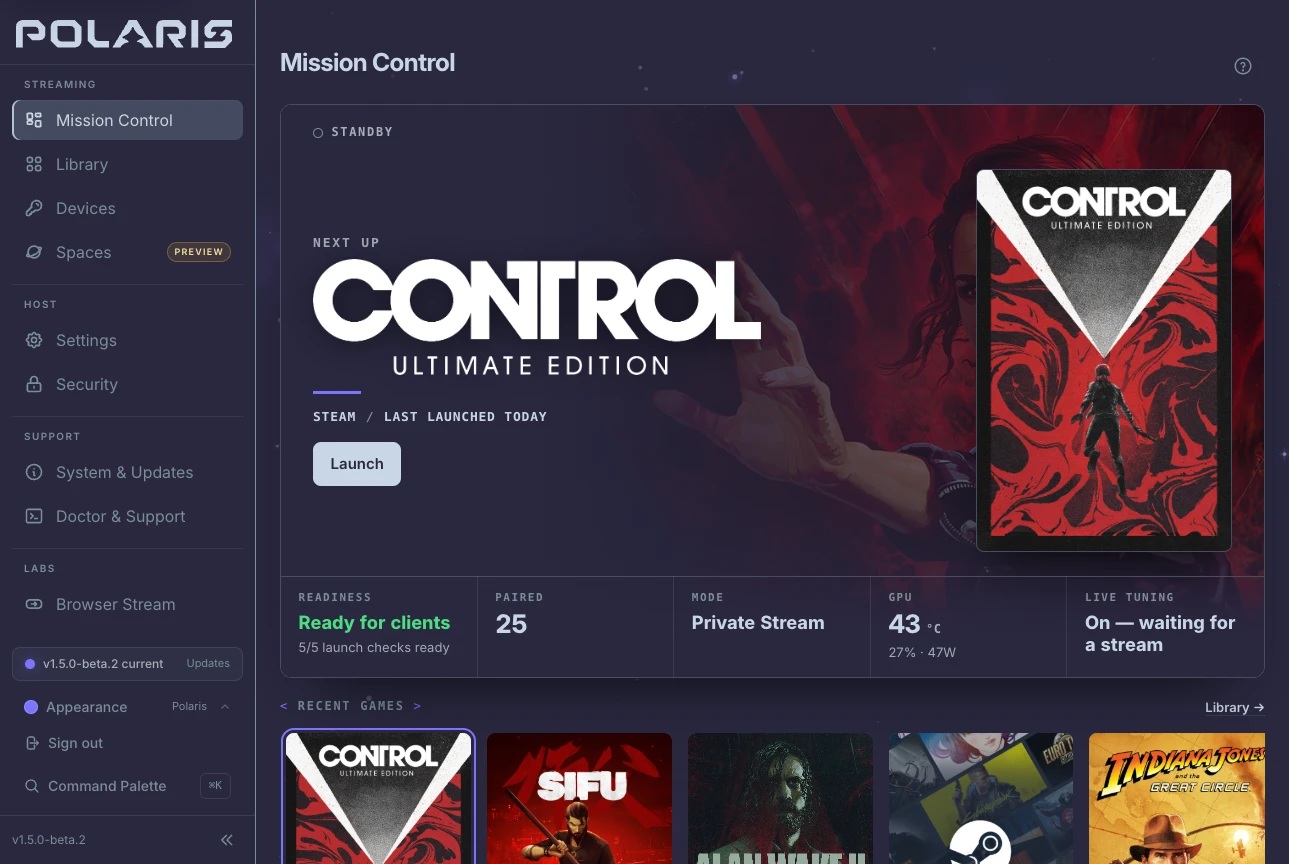
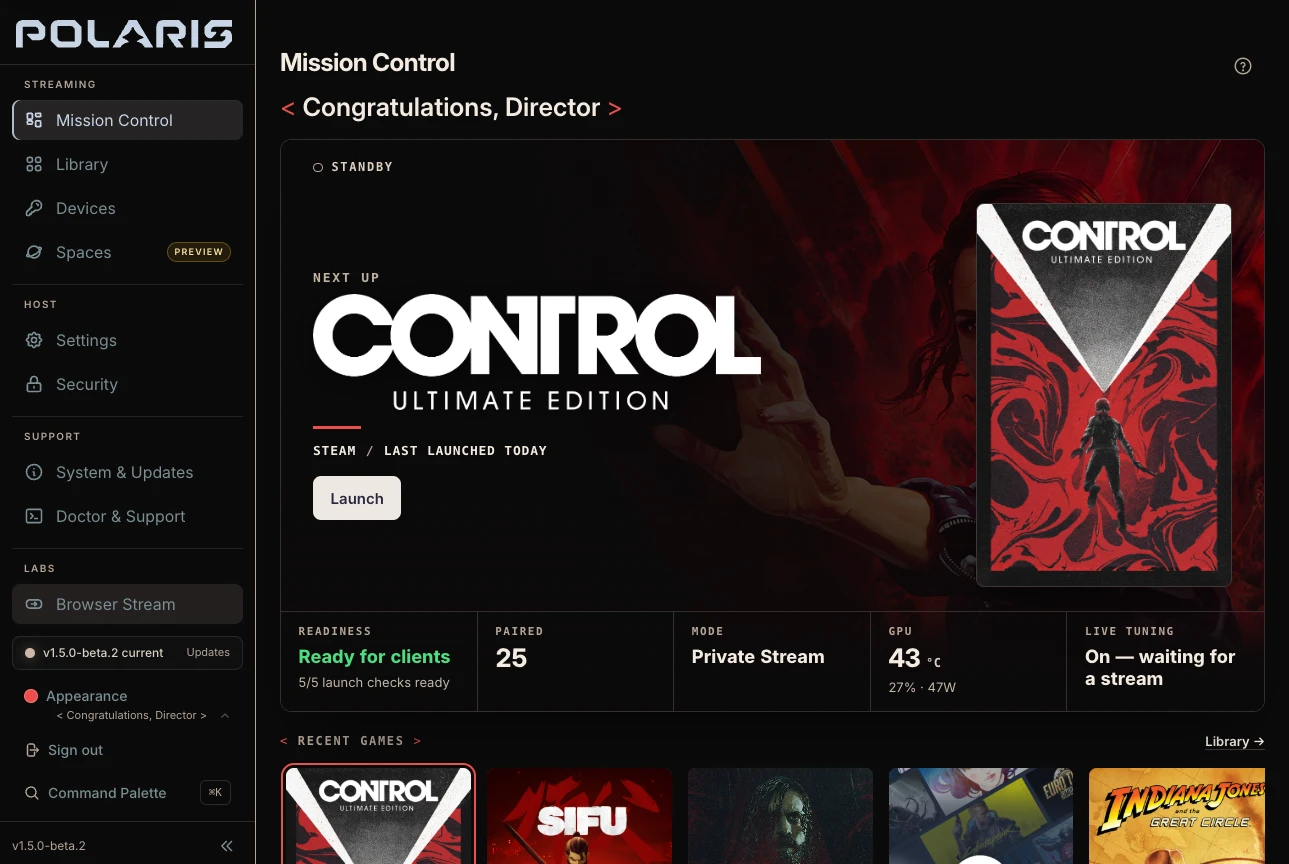
Mission Control, the web console, puts the game that's playing or up next front and center, with the host's readiness, its launch mode and the stream's health a glance away. When the network struggles, Doctor can offer a lower bitrate, check whether it helped and undo it.
Tour Mission ControlNo guessing about the path.
Polaris prefers keeping frames on the GPU and encoding with NVENC or VAAPI, with software encoding as a fallback. Whatever it ends up using, the console names it, so a slow stream is something you can read rather than reverse-engineer.
How the runtime works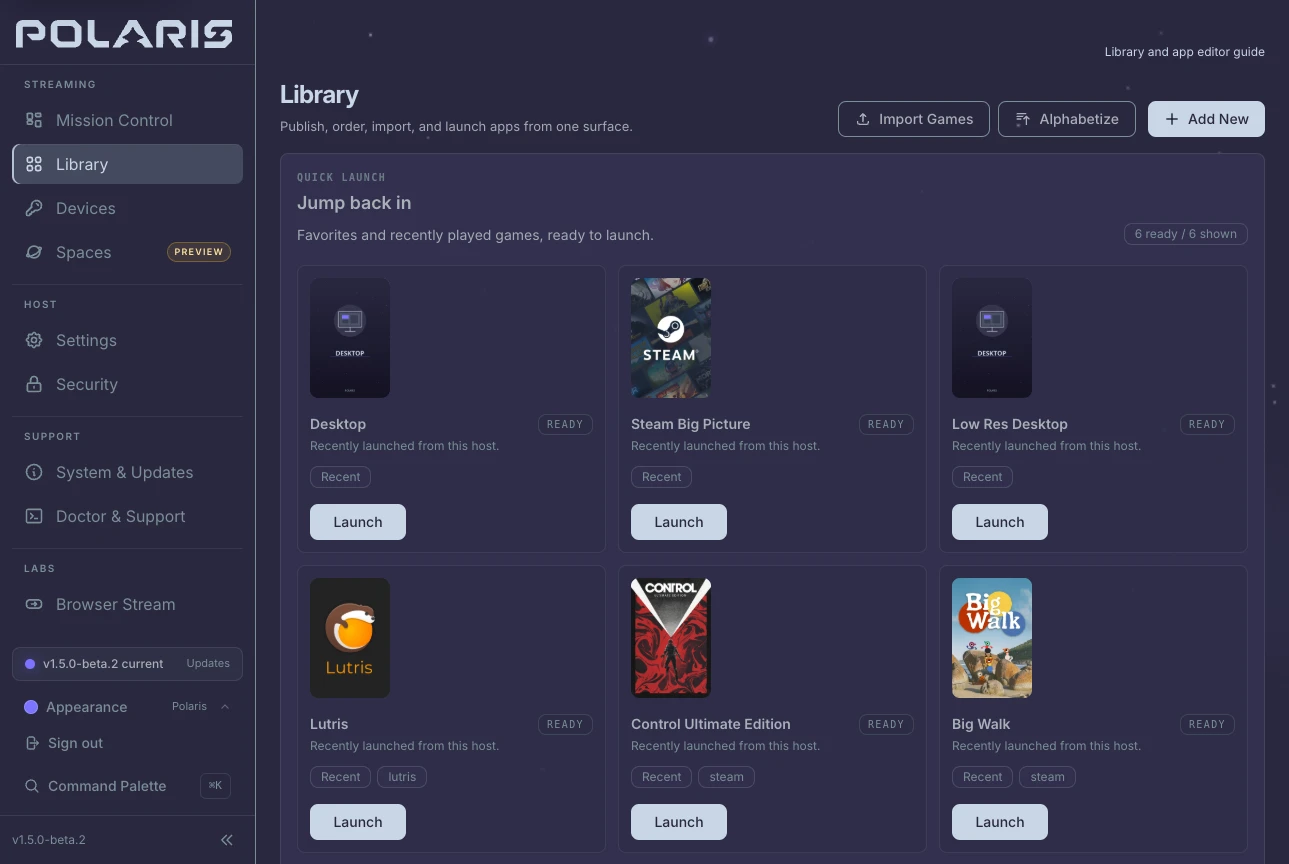
Your library, already here.
Import from Steam, Heroic and Lutris, add emulated games, and let Find covers suggest artwork for anything missing. Nothing changes until you approve it.
Library and artworkAny compatible client. Clear roles.
Play through Nova for the richest experience, or keep the Moonlight client you already trust. The device that starts a session owns it, another can watch without taking over, and leaving never has to mean losing your game.
- Disconnect: the game keeps running for later
- Resume: pick up the session you left
- End: stops only the game that session started
Better with Nova
Polaris on the PC. Nova in your hands.
Any Moonlight client can play from Polaris. Nova is the one built for it: it knows what your PC can run before a game starts and keeps the session's controls a shortcut away.
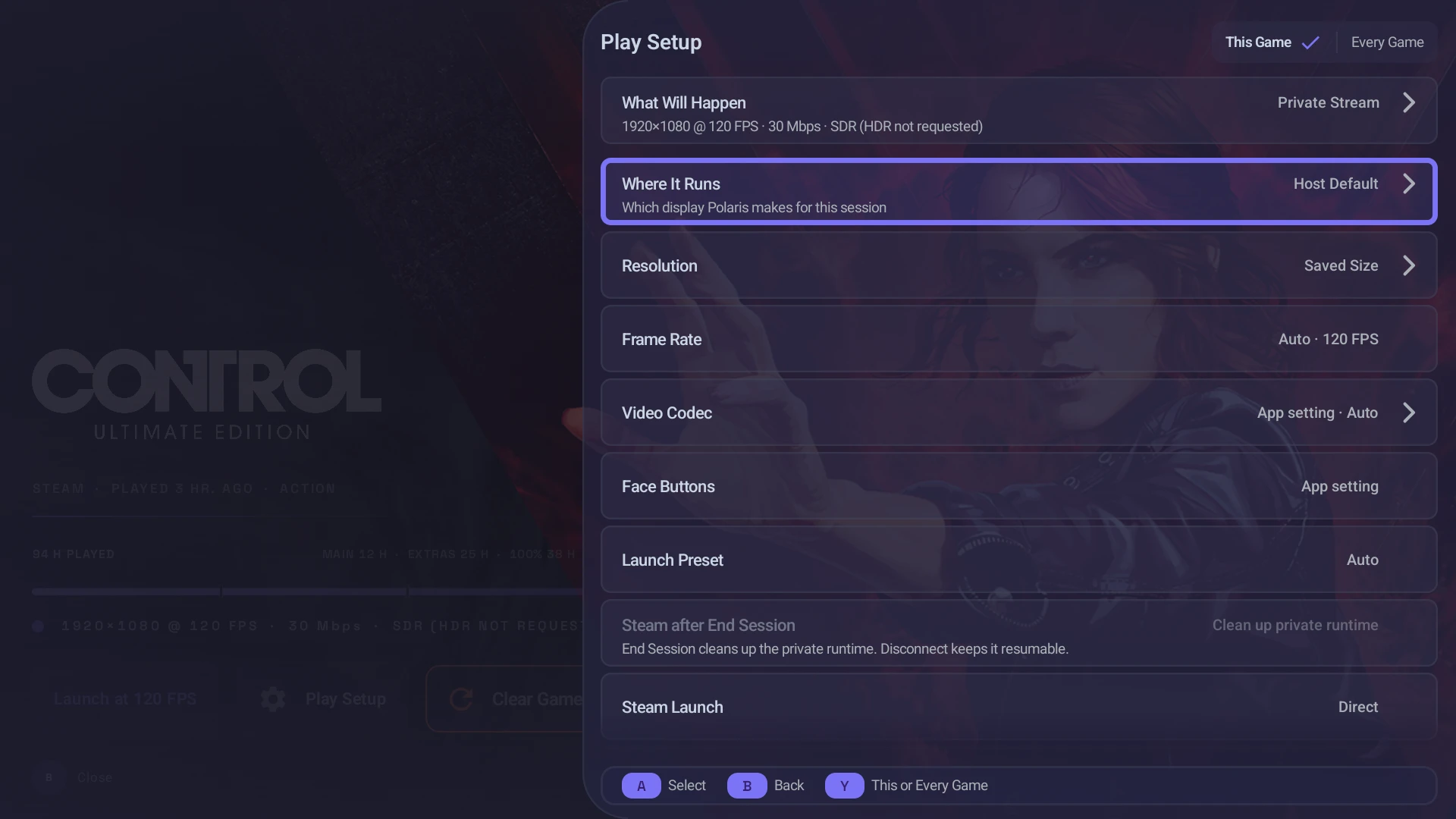
Your launch choices, on the device in your hands.
Nova reads the launch modes this PC can run, so Play Setup names where a game will run and at what resolution, frame rate and codec before anything starts. A choice for one session never rewrites the host's defaults.
How Play Setup works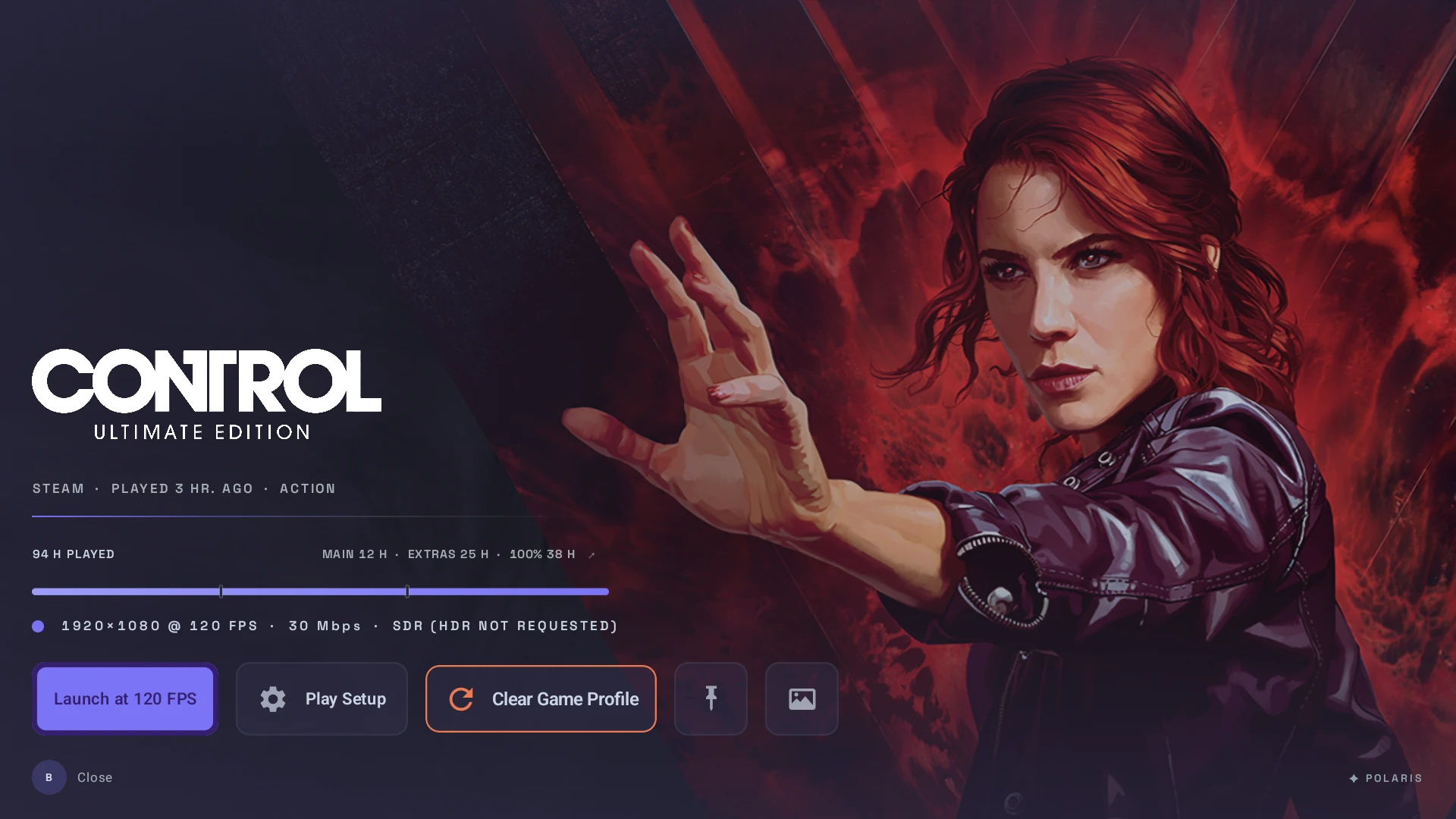
Your library, built for a controller.
The games Polaris brings in from Steam, Heroic and Lutris arrive in Nova with their artwork, hours played and the stream each one will ask for, ready to launch from the couch.
Meet Nova
Where it runs
Built for Linux. Plays anywhere you have a client.
Polaris is a Linux host by design; Windows and macOS hosts aren't planned. NVIDIA is the most tested, and AMD and Intel work through VAAPI.
Your PCPolaris
- Fedora 44 · Arch Linux · CachyOSRecommendedSigned packages, with repositories that keep them current
- SteamOS 3.8, and 3.9 in 1.5.0-beta.2 · Desktop Mode and Game Mode on Steam DeckPackageVersioned packages for SteamOS 3.8, and for 3.9 in 1.5.0-beta.2; an OS update can remove them
- Bazzite · Ubuntu 24.04TesterPublished packages with experimental support
- openSUSE Tumbleweed · other Linux distributionsSourceBuild it yourself, with community-validated guides
Where you playNova
- Nova for AndroidAvailableHandhelds · phones · tablets · Android TV
- Nova on Steam DeckBetaNative SteamOS client · pairs, browses, and streams from Game Mode
- Nova for Linux desktopsBetaNative x86_64 Linux client in beta · wider desktop interface in 1.5.0-beta.2 · stable downloads remain 1.4.13
- Nova for iOSPlannedScaffold and study only · no public client release
- Nova for Steam FrameBetaA separate ARM64 build, attached only to releases that include it · checked at 1080p60 SDR · not Steam Frame Verified
- Moonlight and compatible clientsSupportedPair, browse, launch and stream from a Polaris host
Themes Beta 2
Aurora by default. Director on cue.
< Congratulations, Director >
A second look for the Polaris console and for Nova on Android and Linux: charcoal stages, warm white text and red for focus. It arrives in 1.5.0-beta.2 as a separate theme, so nothing changes until you choose it, and Polaris Aurora stays the default.
- Charcoal
- Warm white
- Signal red
Your PC, your keys.
- StreamDirect from your PC, with no account in between
- PairingCertificates, permissions, settings and your library stay on your PC
- AI tuningOptional and off unless you choose a provider, including a local one
- LineageGPLv3, from the Apollo and Sunshine hosts, Moonlight compatible
Before you install
Good questions. Straight answers.
The edges worth knowing before Polaris goes on your PC.
Q01Do I need an NVIDIA GPU?
No. NVIDIA and NVENC are the most heavily tested release path, but AMD and Intel Mesa VAAPI are supported, with software encode available as a fallback and diagnostic path. Polaris reports the capture and encoder path it actually used.
Q02Will my existing Moonlight client work?
Yes. Standard Moonlight clients can pair, browse apps, launch, send input, and stream. Nova adds the richest Polaris-specific experience: launch-mode guidance, watch and resume state, live tuning, and deeper session health.
Q03Do I need to uninstall Sunshine?
No. Polaris keeps its host configuration separate. Stop Sunshine while trying Polaris because both hosts can collide on the same default GameStream ports and discovery records, then switch back whenever you want.
Q04Is Headless Stream tied to KDE?
No. KDE Plasma Wayland is the most exercised daily-driver setup, but Headless Stream creates its own labwc Wayland instance. It does not depend on the host desktop being KDE, GNOME, Sway, or Hyprland.
Q05Is AI required?
No. Core streaming, pairing, library management, and diagnostics work without AI or a cloud account. Optional Auto Quality runs only when you enable it and uses the provider you configure, including a local OpenAI-compatible endpoint.
Q06What does SteamOS support cover?
Polaris v1.4.13 ships a dedicated SteamOS 3.8 x86_64 package. The v1.4.12 SteamOS package was proven on a Steam Deck OLED on SteamOS 3.8.16 in Desktop Mode and in Game Mode, where it streams the Game Mode screen and launches Steam titles into it. The Deck LCD, OLED 90 Hz presentation, suspend and resume, and persistence across SteamOS operating-system updates are not certified yet; those updates may remove installed packages. Use the SteamOS package, not the rolling Arch package. The opt-in 1.5.0-beta.2 adds a separate SteamOS 3.9 package, because SteamOS 3.9 can't load the 3.8 package's libraries.
Q07What about HDR?
Polaris separates 10-bit SDR from true HDR. Main10 can work when the client, runtime, and encoder support it. True HDR is advertised only when the active capture path provides real HDR display metadata; headless sessions remain honestly SDR until they can do that.
Start private. Stay in control.
Pick the package for your Linux PC, run the host setup once, and pair Nova or the Moonlight client you already use.