
Polaris + Nova · free and open source
Your PC games, on the screen you want.
Polaris turns your Linux gaming PC into your own game-streaming host. Nova brings those games to your Android handheld, phone, tablet or TV, and to Steam Deck, Linux and Steam Frame in beta. Moonlight clients work too. No cloud account, no subscription.
Coming from Sunshine or Apollo?Stable Polaris 1.4.13 · Nova 1.4.13 · 1.5.0-beta.2 available
Two apps
Made for each other. Fine on their own.
On your Linux PC
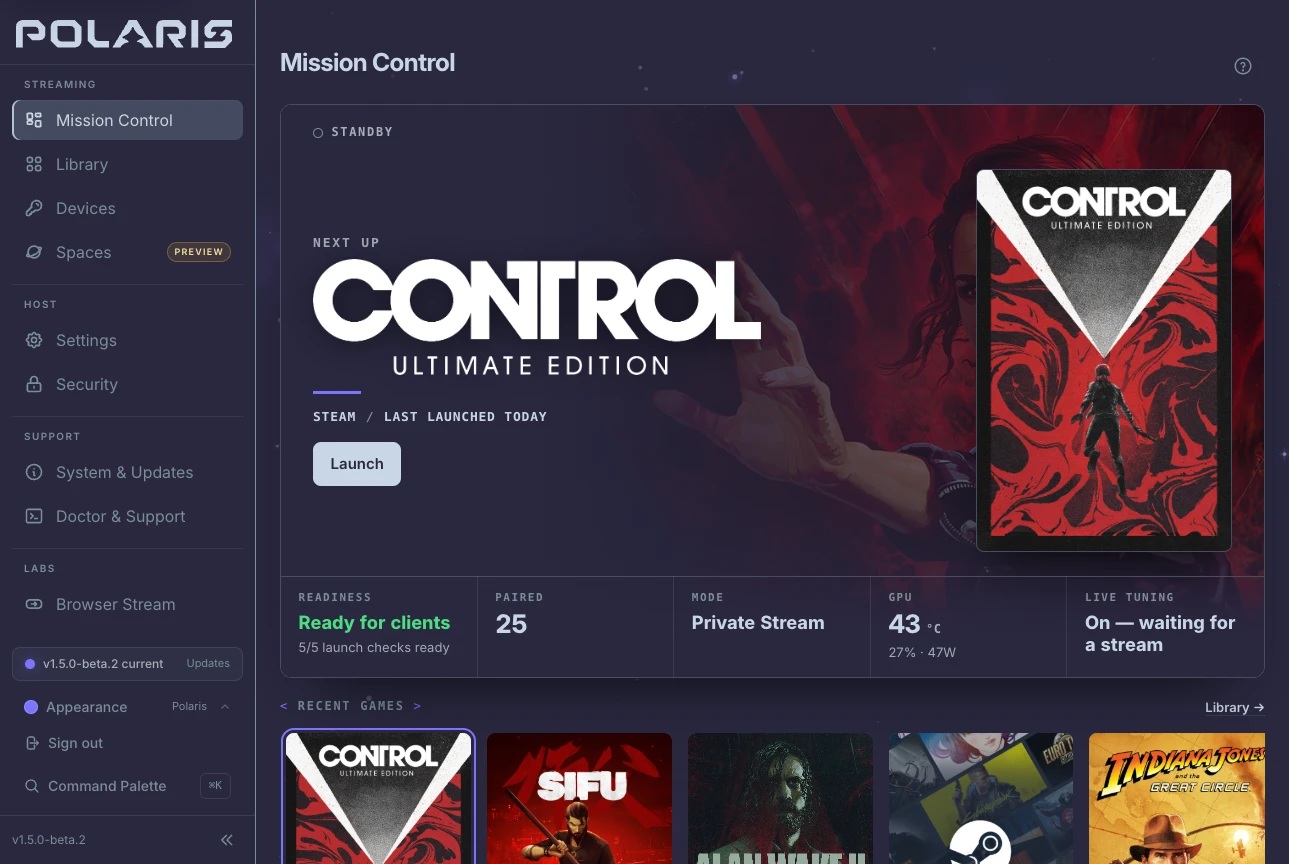
Polaris
The host. It runs each game in a private session, brings your library along, and shows exactly how every stream is running.
- Fedora
- Arch and CachyOS
- SteamOS
- More Linux
In your hands
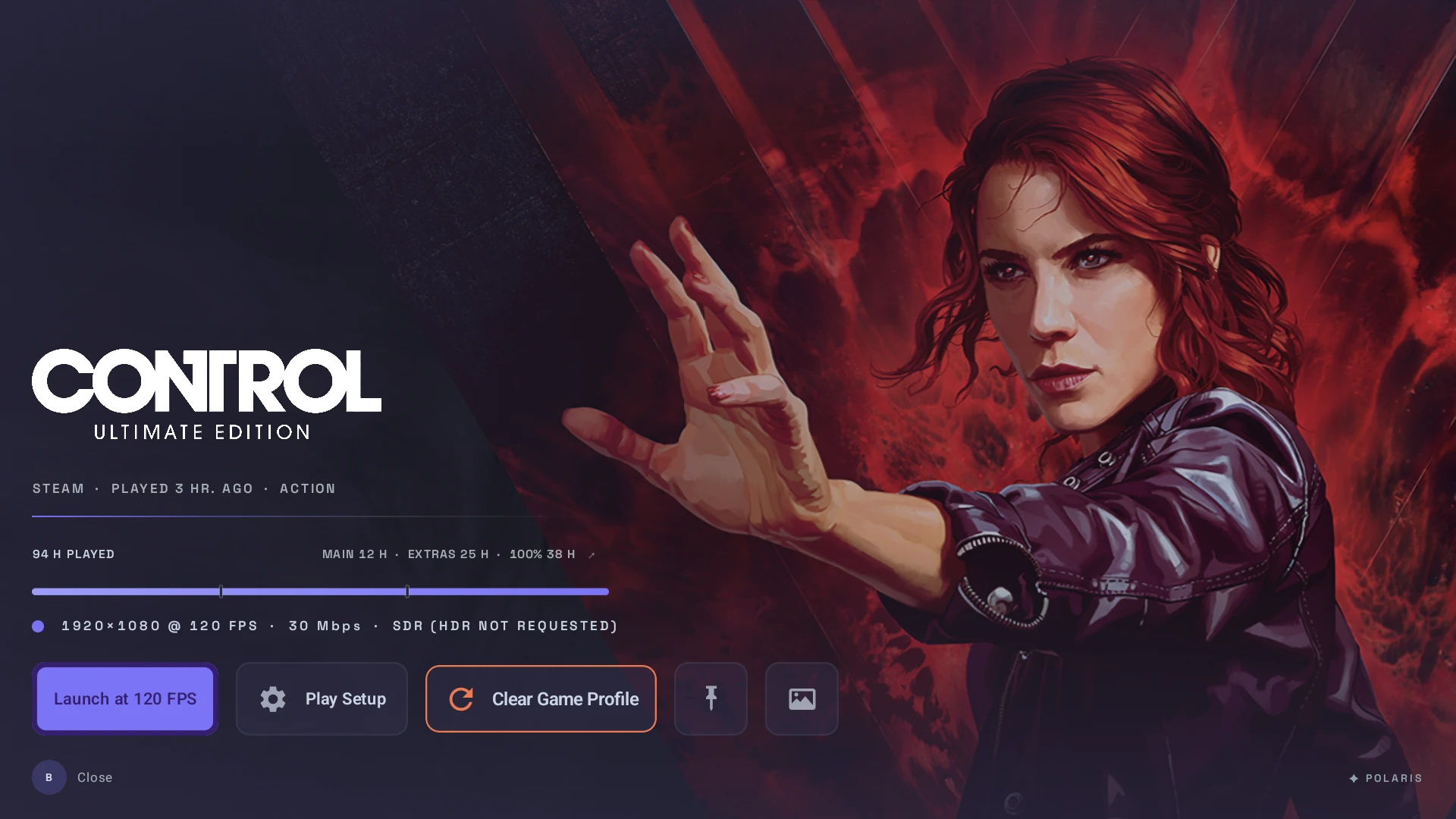
Nova
The client. It browses your library like a console, tells you how a game will launch, and keeps the stream's controls a shortcut away.
- Android
- Android TV
- Steam Deck beta
- Linux beta
- Steam Frame beta
Already have a Moonlight client? It works with Polaris, and Nova works with other Moonlight-compatible hosts.
Why people switch
Five things you'll notice first.
Your desktop stays yours.
Private Stream runs each game in its own compositor on your PC, so your monitors, windows and layout stay where you left them. When you do want the real desktop, each other mode says up front what it will change.
- Private Stream: a session of its own, your screens untouched
- Host Virtual Display: a separate display, where your desktop can make one
- Mirror Desktop: the desktop you see, when that is the point
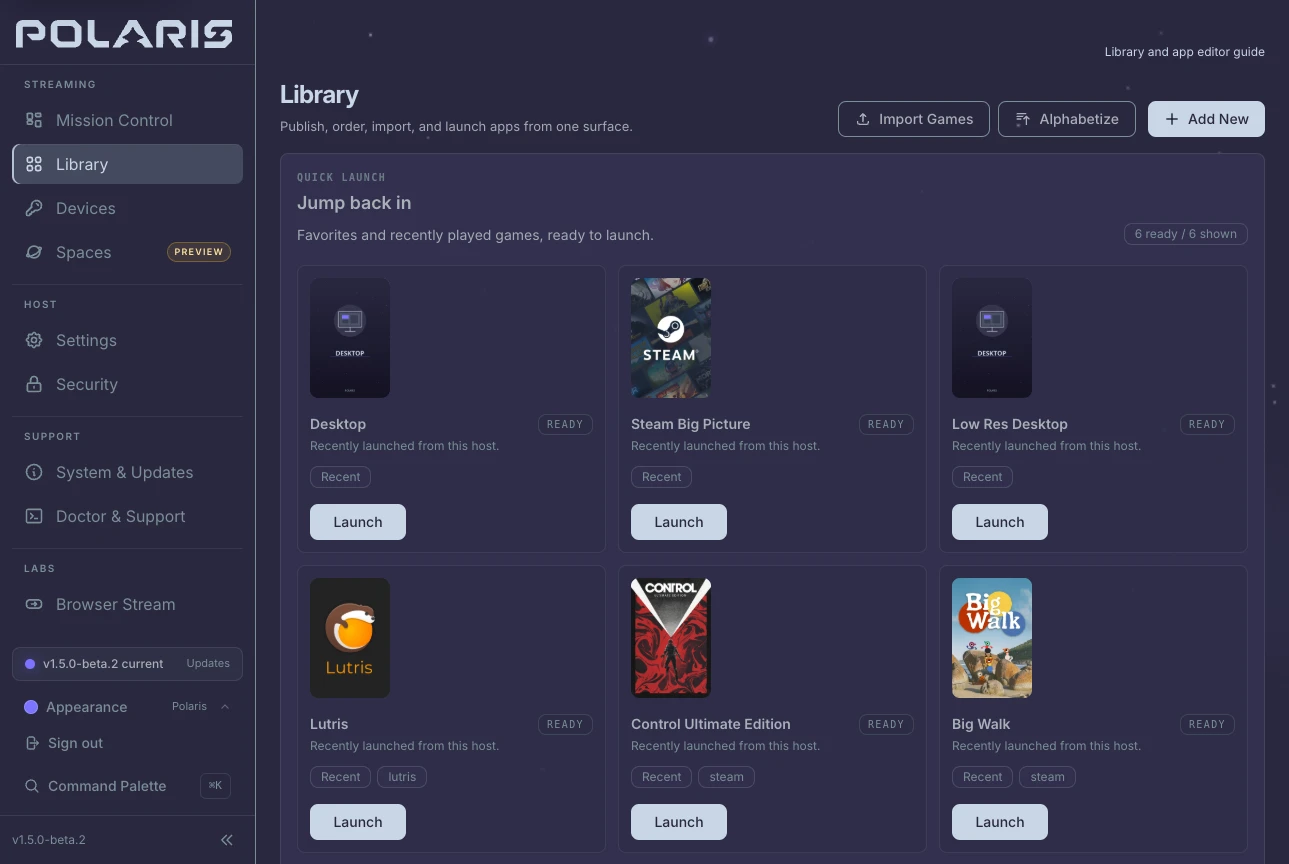
Your library, already here.
Import from Steam, Heroic and Lutris, add emulated games, and let Find covers suggest artwork for anything missing. Nothing changes until you approve it.
Library and artwork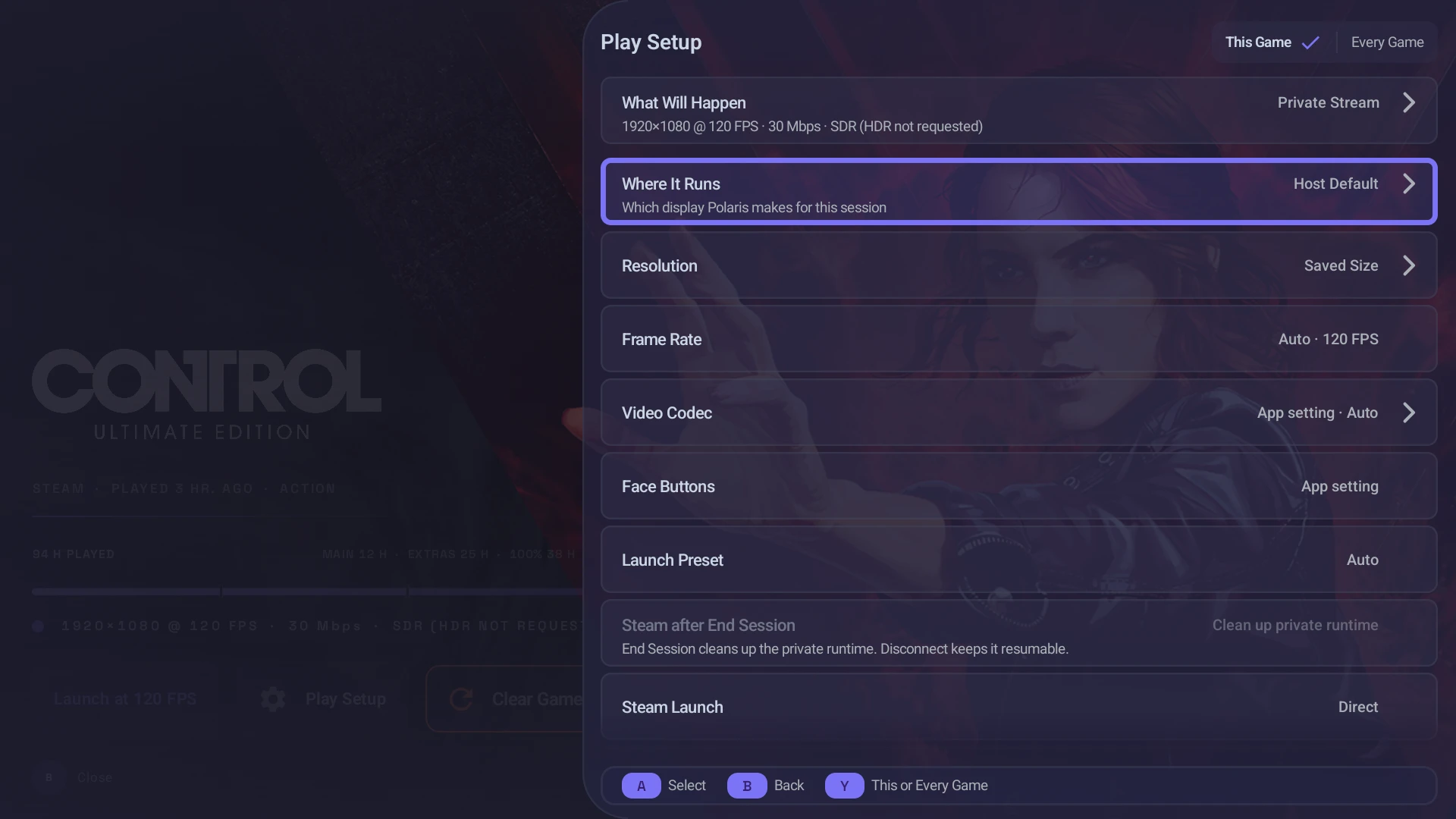
Know before you press play.
Play Setup shows where a game will run, at what resolution and frame rate, and with which codec, before anything starts. A choice for one session never rewrites your host's defaults.
How Play Setup worksControls a shortcut away.
Command Center opens over the running game with tuning, overlays, controller actions and the exit controls, and NovaHUD keeps the stream's health in view. With Polaris, the host explains itself; any Moonlight-compatible host still gets the basics.
- Guide + Start: open Command Center
- Guide + Y: show or cycle NovaHUD
- With Polaris: the host's library, launch choices and session state
Pair your way. Leave on your terms.
Pair with Trusted Pair on a network you trust, a QR code from the Polaris console, or the usual PIN. When you're done, Disconnect keeps the game running for later, End stops it, and Watch joins a stream without taking it over.
- Disconnect: the game keeps running for later
- Resume: pick up the session you left
- End: stops only the game that session started
Where it runs
Works with what you have.
Polaris needs a Linux PC. Nova is ready on Android today, with Steam Deck, Linux and Steam Frame in beta, and Moonlight clients connect to Polaris too.
Your PCPolaris
- Fedora 44 · Arch Linux · CachyOSRecommendedSigned packages, with repositories that keep them current
- SteamOS 3.8, and 3.9 in 1.5.0-beta.2 · Desktop Mode and Game Mode on Steam DeckPackageVersioned packages for SteamOS 3.8, and for 3.9 in 1.5.0-beta.2; an OS update can remove them
- Bazzite · Ubuntu 24.04TesterPublished packages with experimental support
- openSUSE Tumbleweed · other Linux distributionsSourceBuild it yourself, with community-validated guides
Where you playNova
- Nova for AndroidAvailableHandhelds · phones · tablets · Android TV
- Nova on Steam DeckBetaNative SteamOS client · pairs, browses, and streams from Game Mode
- Nova for Linux desktopsBetaNative x86_64 Linux client in beta · wider desktop interface in 1.5.0-beta.2 · stable downloads remain 1.4.13
- Nova for iOSPlannedScaffold and study only · no public client release
- Nova for Steam FrameBetaA separate ARM64 build, attached only to releases that include it · checked at 1080p60 SDR · not Steam Frame Verified
- Moonlight and compatible clientsSupportedPair, browse, launch and stream from a Polaris host
Before you install
Good to know.
A Linux host, on purpose
Polaris runs on Linux. Windows and macOS hosts aren't planned; clients connect from their own platforms.
Host compatibilityGraphics vary
NVIDIA is the most tested host. AMD and Intel work through VAAPI, and what a client can decode depends on the device.
GPU and client notesNot on the Play Store
Nova is distributed through GitHub Releases, Obtainium, and GitHub Store. GitHub Releases are the official source of the signed public APKs and their matching SHA-256 checksum files.
Updates and betasBetas wait to be chosen
Stable downloads stay on the current release. A beta, and every experimental option in it, is something you pick on purpose.
About 1.5.0-beta.2
Ready when you are.
Set up Polaris on your Linux PC, put Nova on the device you play on, and pair them. The downloads page helps you pick the right files for each.