 Nova · In your hands
Your PC games,in your hands.
Nova plays games from your PC on Android handhelds, phones, tablets and TVs. Browse your library with a controller, see how a game will launch before it starts, and keep the stream's controls one button away. It's at its best with Polaris, and Moonlight-compatible hosts work too.
- Android now
- Steam Deck beta
- Free and open source
Stable 1.4.13 · 1.5.0-beta.2 available
Why Nova
The whole stream, not just a play button.
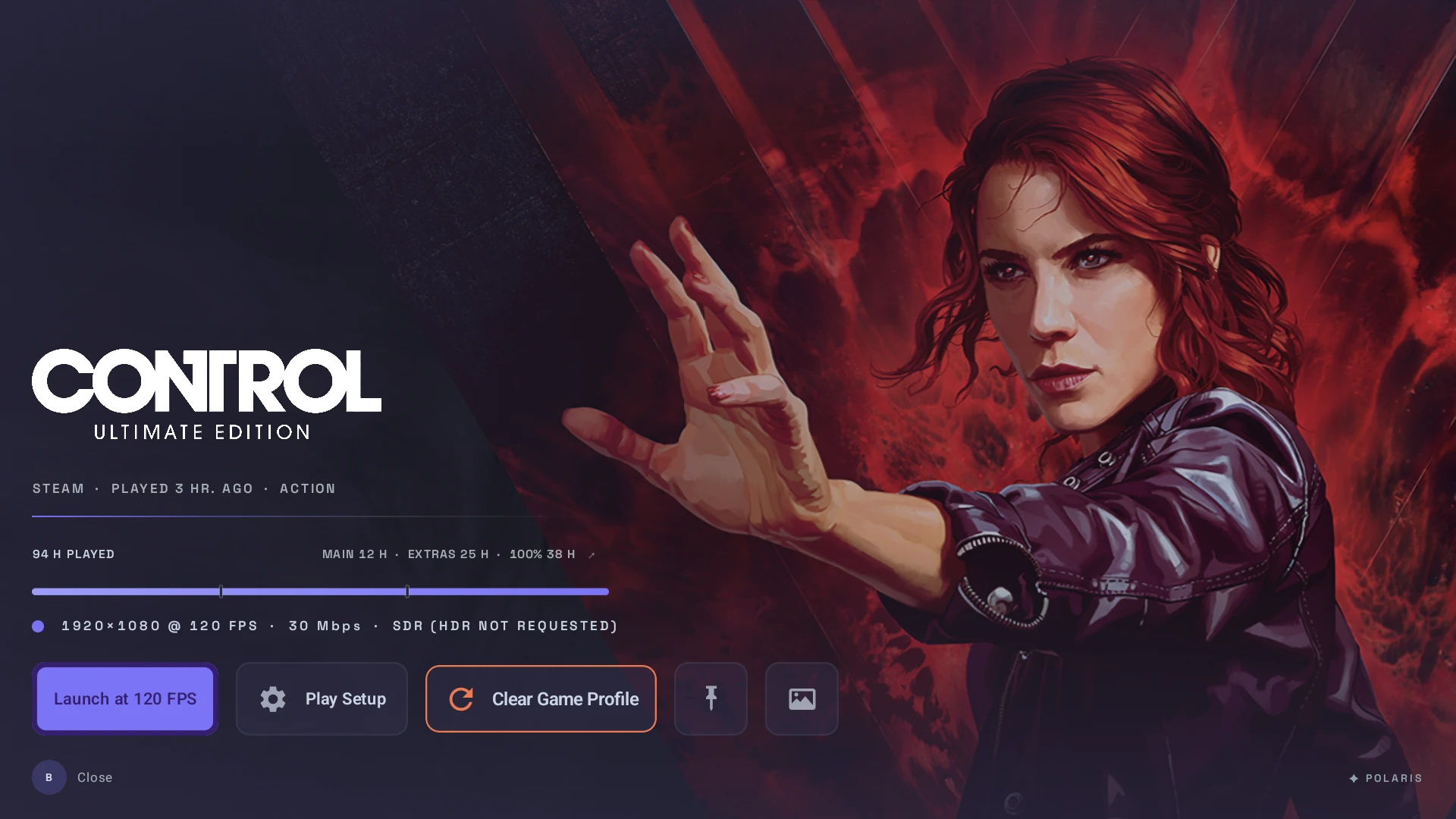
Nova explains what happens before you play, keeps the controls close while you do, and makes leaving a choice instead of an accident.
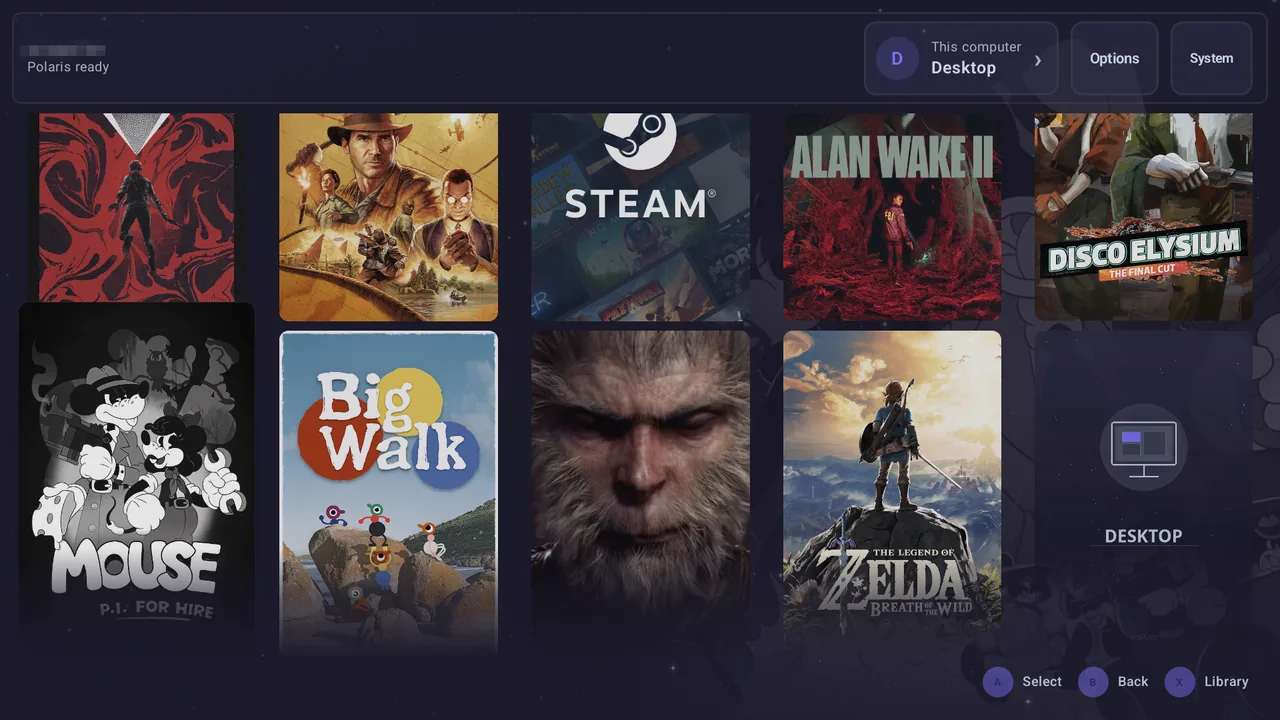
A library that feels like a console.
Your host's games show up with their cover art, ready to browse from the couch with a controller, or with touch and a keyboard when that's what you have.
Start with the quick start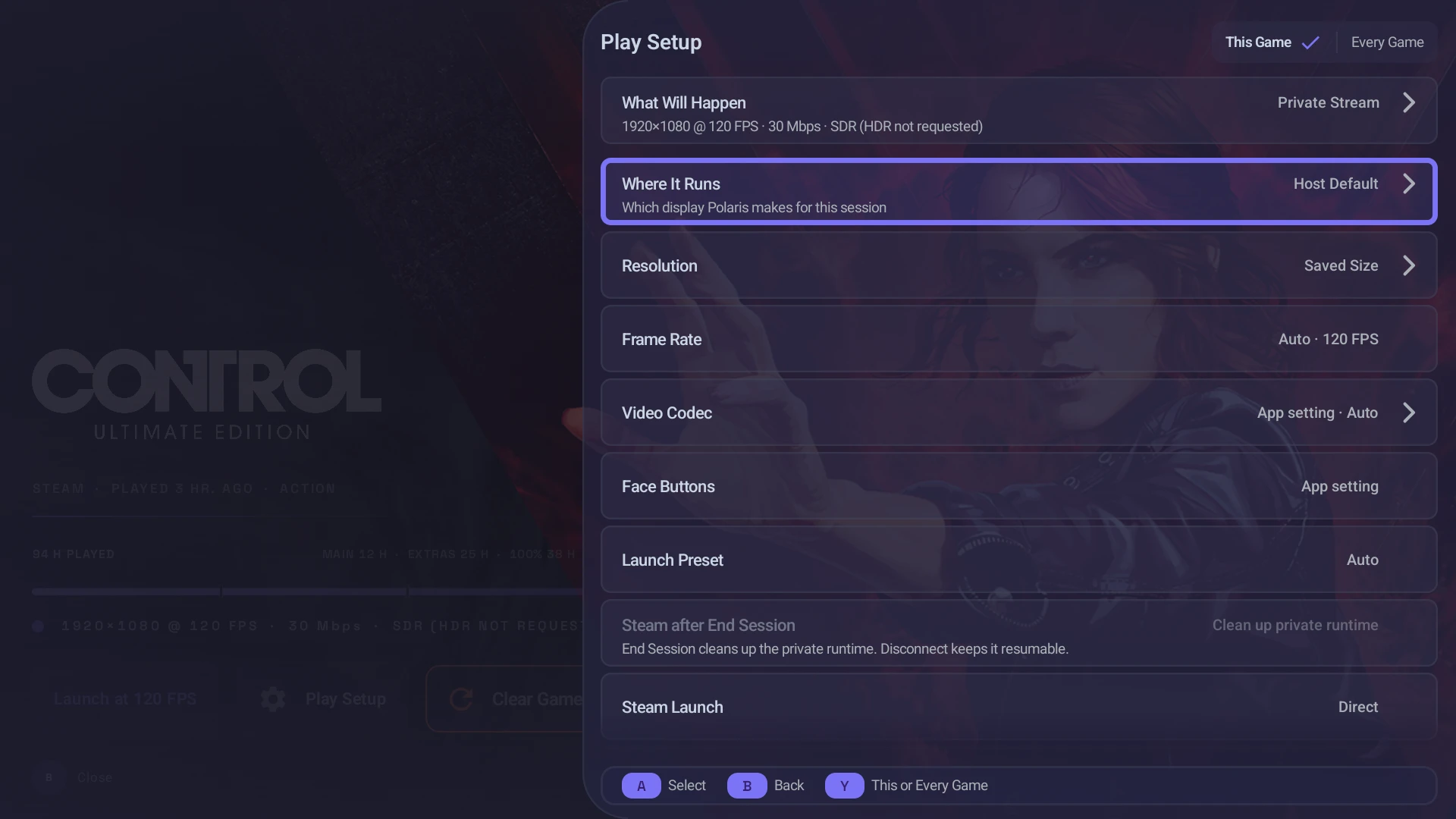
Know before you press play.
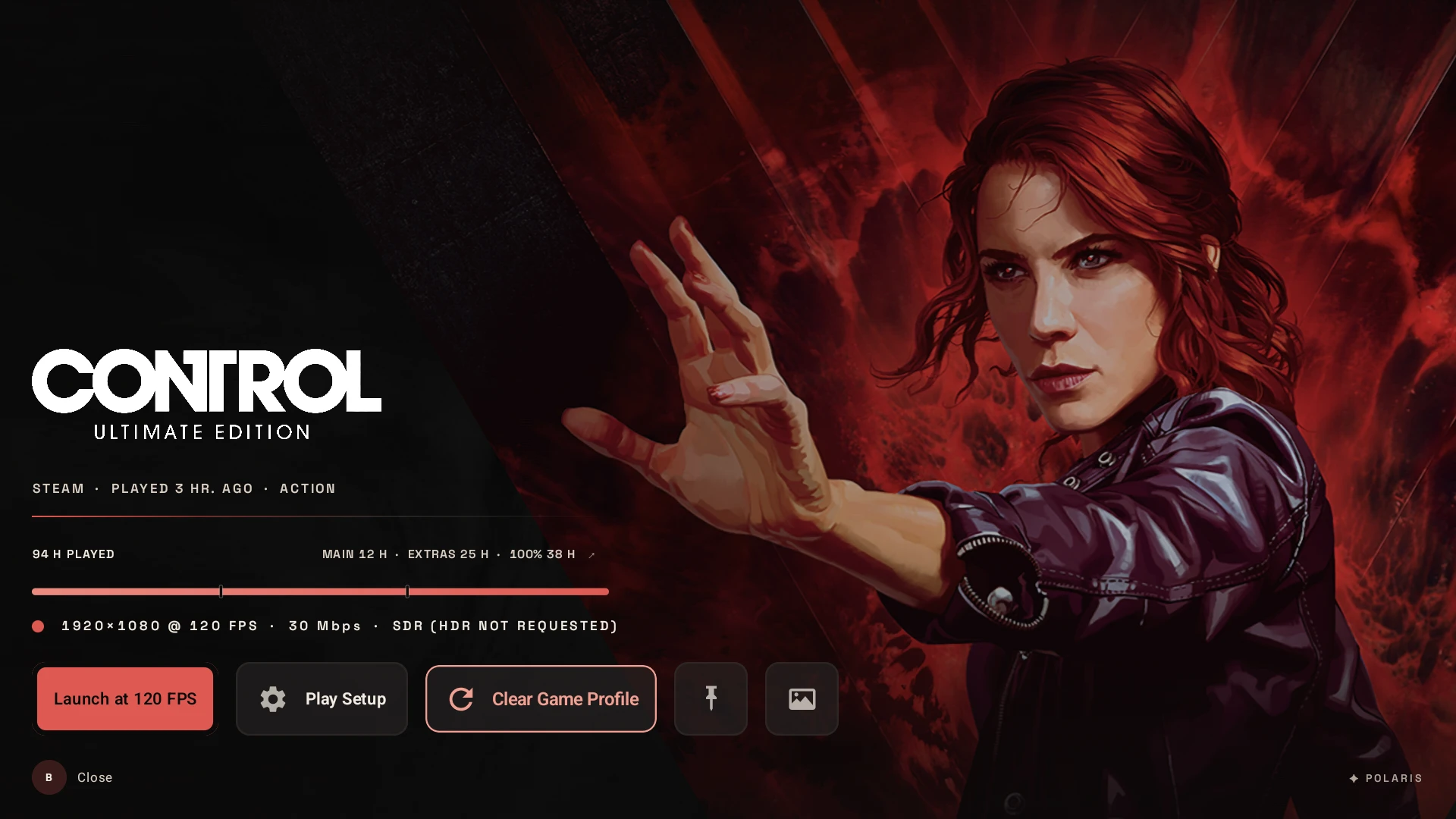
Play Setup shows where a game will run, at what resolution and frame rate, and with which codec, before anything starts. A choice for one session never rewrites your host's defaults.
How Play Setup works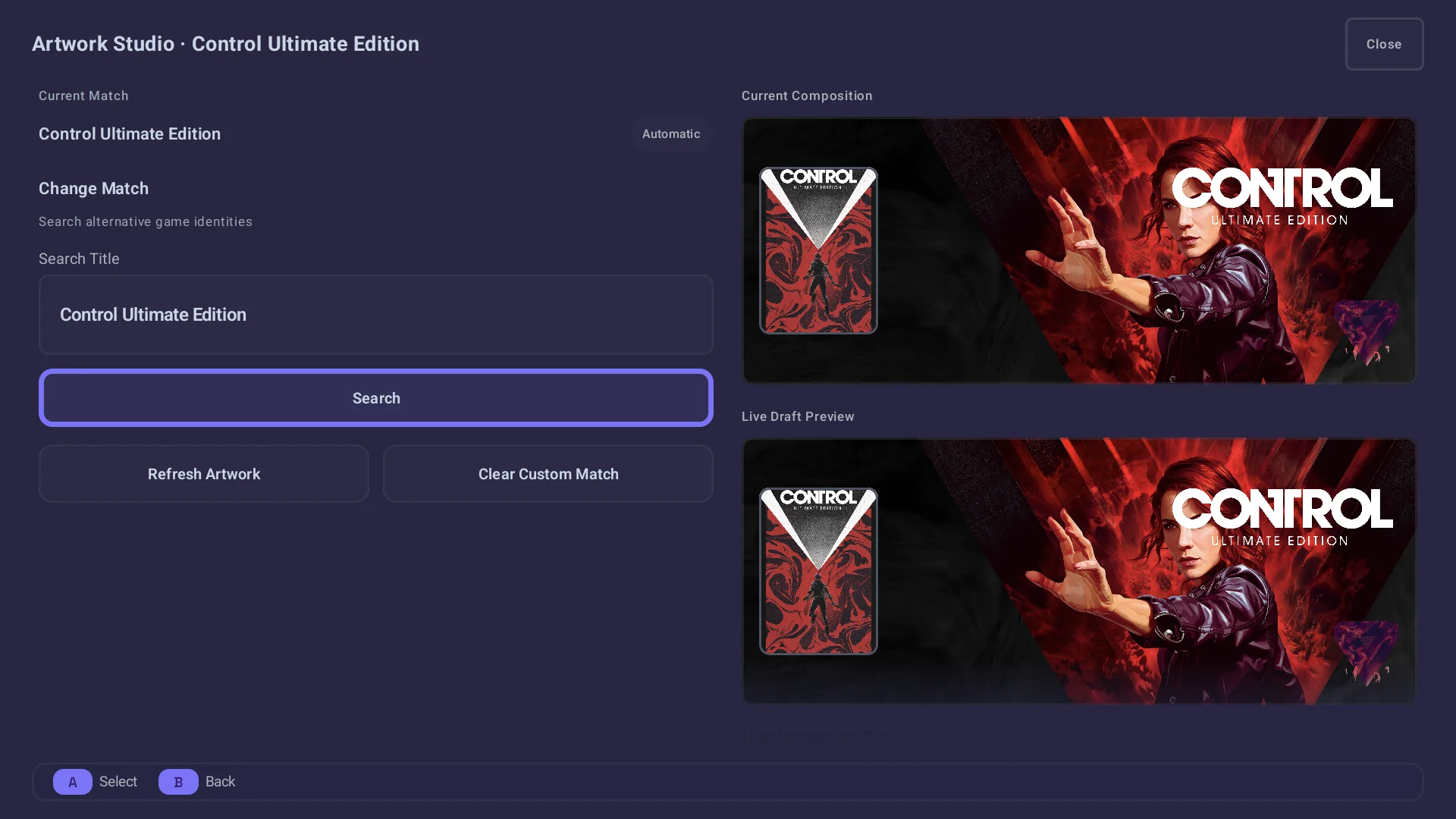
Dress the shelf your way.
Artwork Studio keeps a game's poster, hero, logo and icon in one place, with the current composition beside a live preview of the draft you're editing. A match you choose stays until you change it.
Library and artworkControls a shortcut away.
Command Center opens over the running game with tuning, overlays, controller actions and the exit controls, and NovaHUD keeps the stream's health in view. With Polaris, the host explains itself; any Moonlight-compatible host still gets the basics.
- Guide + Start: open Command Center
- Guide + Y: show or cycle NovaHUD
- With Polaris: the host's library, launch choices and session state
Pair your way. Leave on your terms.
Pair with Trusted Pair on a network you trust, a QR code from the Polaris console, or the usual PIN. When you're done, Disconnect keeps the game running for later, End stops it, and Watch joins a stream without taking it over.
- Disconnect: the game keeps running for later
- Resume: pick up the session you left
- End: stops only the game that session started
Better with Polaris
Nova in your hands. Polaris on the PC.
Nova plays from any Moonlight-compatible host. With Polaris behind it, the library, the launch choices and the session state all come from the PC you paired.
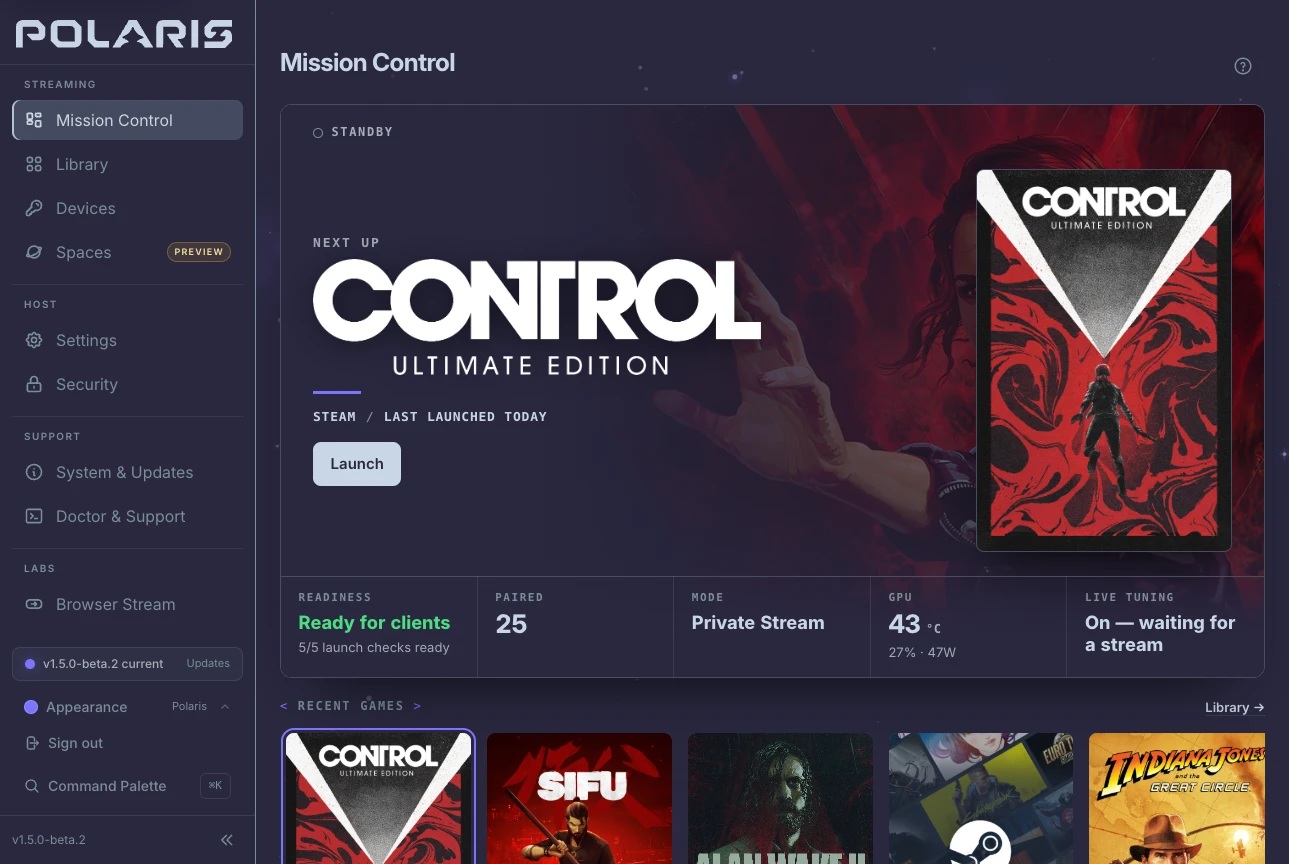
A host that explains itself.
With Polaris, Nova knows which launch modes your PC can run, who owns a session and what Doctor found. Mission Control shows the same picture on the PC: the game up next, whether the host is ready, and how each stream is going.
Meet Polaris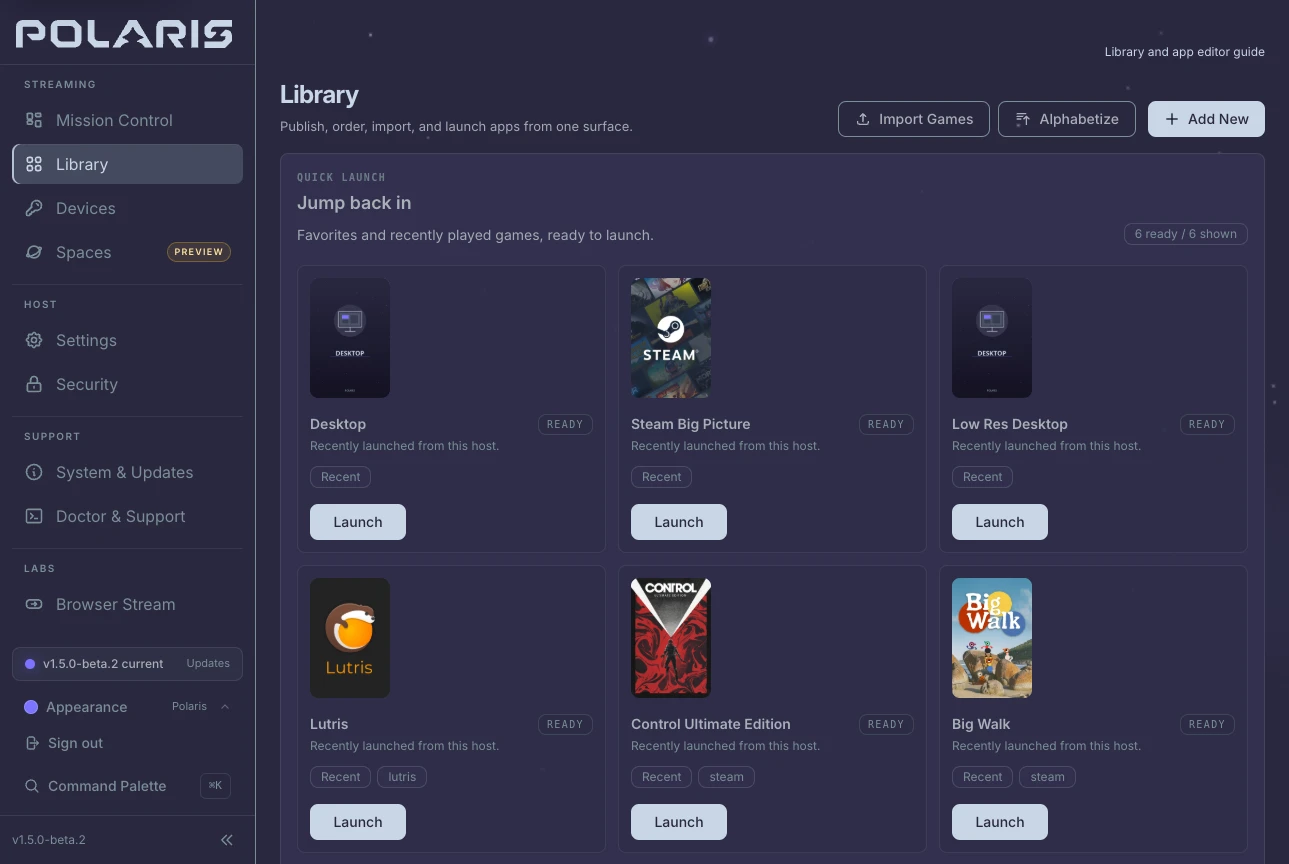
Your whole library, one pairing away.
Polaris imports games from Steam, Heroic and Lutris, adds emulated ones, and keeps the artwork you approve. Nova browses that library and launches each game into a session of its own, leaving your desktop alone.
Library and artwork
Where it runs
Android today. Steam Deck, Linux and Frame in beta.
Nova ships for Android now, with Steam Deck, Linux desktops and Steam Frame in beta. Polaris gives it the most to work with, and any Moonlight-compatible host covers the basics.
Where you playNova
- Nova for AndroidAvailableHandhelds · phones · tablets · Android TV
- Nova on Steam DeckBetaNative SteamOS client · pairs, browses, and streams from Game Mode
- Nova for Linux desktopsBetaNative x86_64 Linux client in beta · wider desktop interface in 1.5.0-beta.2 · stable downloads remain 1.4.13
- Nova for iOSPlannedScaffold and study only · no public client release
- Nova for Steam FrameBetaA separate ARM64 build, attached only to releases that include it · checked at 1080p60 SDR · not Steam Frame Verified
- Moonlight and compatible clientsSupportedPair, browse, launch and stream from a Polaris host
Your PCPolaris
- Fedora 44 · Arch Linux · CachyOSRecommendedSigned packages, with repositories that keep them current
- SteamOS 3.8, and 3.9 in 1.5.0-beta.2 · Desktop Mode and Game Mode on Steam DeckPackageVersioned packages for SteamOS 3.8, and for 3.9 in 1.5.0-beta.2; an OS update can remove them
- Bazzite · Ubuntu 24.04TesterPublished packages with experimental support
- openSUSE Tumbleweed · other Linux distributionsSourceBuild it yourself, with community-validated guides
Themes Beta 2
Aurora by default. Director on cue.
< Congratulations, Director >
A second look for the Polaris console and for Nova on Android and Linux: charcoal stages, warm white text and red for focus. It arrives in 1.5.0-beta.2 as a separate theme, so nothing changes until you choose it, and Polaris Aurora stays the default.
- Charcoal
- Warm white
- Signal red
Your device talks to your host.
- AccountNo Nova cloud account required
- StreamStraight between your device and your host
- With PolarisLibrary, tuning and session state come from the PC you paired, not a Nova service
- Auto QualityOptional, and set up on the host when you turn it on
- SourceGPLv3, built on Moonlight, developed in public
Before you install
Good questions. Clear answers.
What ships today, what Polaris adds, and what is still on the way.
Q01Does Nova require Polaris?
No. Nova still speaks the Moonlight/GameStream client path and works with compatible hosts for standard pairing, app launch, input, and streaming. Polaris adds the richer Library, launch choices, watch and resume state, live tuning, and host-backed diagnostics.
Q02Why is Nova not on the Play Store?
Nova is distributed through GitHub Releases, Obtainium, and GitHub Store. GitHub Releases are the official source of the signed public APKs and their matching SHA-256 checksum files.
Q03Which APK should I install?
Match the device’s supported app ABI: ARM64, 32-bit ARM, or x86_64. Shield devices with 32-bit app support need the ARMv7 APK. A Steam Deck uses the native Linux Flatpak.
Q04What is the difference between Private Stream and Virtual Display?
Private Stream asks Polaris for its isolated headless runtime and is the safest first choice for handheld play. Host Virtual Display asks for a separate display-backed path. Mirror Desktop is the deliberate option when you actually want the physical desktop session.
Q05Can a second device watch without taking over?
Yes, with a compatible live Polaris session. Watch Stream joins as a viewer, keeps the owner in control, and follows the owner's active stream profile rather than silently renegotiating its own.
Q06Is there a native Steam Deck, Linux, or iOS client?
Yes for Steam Deck and Linux desktops, in beta. Every release from v1.4.12 attaches a native SteamOS client as a Flatpak bundle, and the Steam Deck guide installs it and lists what it does not do yet. The opt-in 1.5.0-beta.2 expands the native x86_64 Linux interface for Deck and desktop windows. Steam Frame has its own ARM64 beta build where a release attaches it, checked at 1920×1080 SDR and a requested 60 fps, with no XR qualification and no Steam Frame Verified status. iOS remains planned and scaffold-only.
Put the whole stream in your hands.
Pick the build for your device, pair a host, and let Nova explain what happens before, during and after play.